How to Build a Smart Home in 2026: Best Devices, Tips & Trends
Build your dream smart home in 2026 with our complete guide. Discover the best devices, Matter protocol integration, AI trends, and expert setup tips.
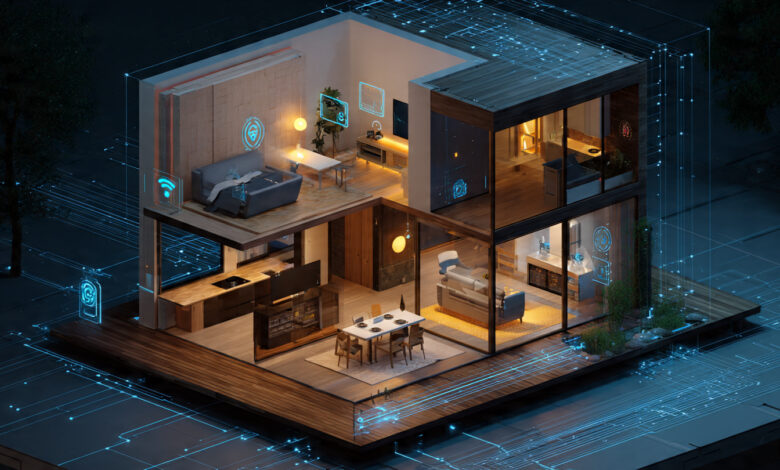
The smart home revolution has finally matured. What was once a fragmented landscape of incompatible gadgets has evolved into an ecosystem where devices actually talk to each other. By 2026, nearly 85 million American homes will have embraced smart technology, and the barriers that once made automation feel complicated have largely disappeared. If you’ve been waiting for the right moment to transform your house into a connected, intelligent living space, that moment is now.
Building a smart home in 2026 isn’t about cramming your house full of gadgets that require engineering degrees to operate. It’s about creating a living environment that anticipates your needs, saves energy, enhances security, and simply makes life easier. The difference between now and five years ago is night and day. Thanks to the Matter protocol, devices from different manufacturers work together seamlessly. Artificial intelligence has made homes genuinely intuitive rather than just remotely controlled. And perhaps most importantly, smart devices have become affordable enough that you don’t need a Silicon Valley salary to get started.
Whether you’re moving into a new house, renovating your current space, or simply want to start adding smart features room by room, this guide will walk you through everything you need to know. From choosing the right ecosystem to selecting specific devices and understanding the latest trends, you’ll discover how to build a smart home that fits your lifestyle and budget.
Understanding Smart Home Technology in 2026
Smart home technology has fundamentally changed how we interact with our living spaces. At its core, a smart home uses internet-connected devices that can be monitored, controlled, and automated from your smartphone, tablet, or through voice commands. But in 2026, these systems have become far more sophisticated than their predecessors.
The key difference lies in intelligence. Early smart homes required you to manually control each device through separate apps. Today’s systems learn your patterns, anticipate your needs, and make adjustments automatically. Your smart thermostat knows when you’ll be home and adjusts the temperature accordingly. Your lights gradually brighten in the morning to wake you gently. Your security cameras can distinguish between a delivery person and a potential intruder.
The Matter Protocol Revolution
The biggest game-changer in 2026 is the widespread adoption of the Matter protocol. Developed collaboratively by Amazon, Apple, Google, and hundreds of other companies through the Connectivity Standards Alliance, Matter has become the universal language of smart home devices. This means you can finally buy a smart bulb from one manufacturer and a hub from another without worrying about compatibility issues.
Matter operates on IP-based networks using Wi-Fi, Thread, and Ethernet, enabling direct communication between devices without requiring multiple proprietary hubs. What makes this particularly powerful is that Matter-certified devices work with Amazon Alexa, Google Home, Apple HomeKit, and Samsung SmartThings right out of the box. According to the Connectivity Standards Alliance, this standardization has eliminated the frustration of fragmented ecosystems that plagued earlier smart home adopters.


The protocol continues evolving, with the upcoming Matter 1.5 and beyond expanding support to include video doorbells, cameras, irrigation systems, and health monitoring devices. Major retailers like IKEA have committed to launching over 20 Matter-compatible devices in early 2026, making the standard truly mainstream.
AI-Powered Automation
Artificial intelligence has moved from buzzword to practical reality in smart home automation. Google’s Gemini for Home and Amazon’s enhanced Alexa can now understand context, process complex multi-step commands, and even describe what your security cameras have recorded using natural language.
This means you can say something like “turn off all lights except the bedroom and set them to come back on five minutes before my alarm” and your system will understand and execute the request. The days of rigid, pre-programmed commands are over.
Starting Your Smart Home Journey: Foundation First
Building a smart home successfully requires planning, not impulse purchases. The right approach saves money, prevents frustration, and ensures your system can grow with your needs.
Step 1: Assess Your Goals and Priorities
Before buying anything, identify what you want to achieve. Different people have different priorities:
Convenience seekers want voice control, automated routines, and the ability to manage everything from their phones. If this describes you, start with a smart speaker and basic lighting controls.
Security-conscious homeowners prioritize cameras, smart locks, and sensors. Your first purchases should focus on monitoring and protecting entry points.
Energy savers care about reducing utility bills and environmental impact. Begin with a smart thermostat and energy monitoring devices that track consumption in real-time.
Tech enthusiasts want comprehensive automation and cutting-edge features. You’ll likely want a full ecosystem with advanced integration capabilities.
Write down your top three priorities. This clarity will guide every purchase decision and prevent you from accumulating expensive gadgets you rarely use.
Step 2: Choose Your Ecosystem
Your choice of ecosystem shapes everything else. The three major players each have strengths:
Google Home offers the most versatile and budget-friendly option. It works with an enormous range of third-party devices and has excellent voice recognition. The Google ecosystem integrates seamlessly with Android devices and Google services. Privacy-conscious users should note that Google collects substantial user data to improve its services.
Amazon Alexa remains the most popular platform with over 100,000 compatible devices. Amazon’s massive ecosystem means you can find smart versions of almost anything. The platform excels at shopping integration and offers more affordable hardware options. Like Google, it has privacy considerations regarding data collection.
Apple HomeKit prioritizes security and privacy above all else. Its encrypted communications and limited ecosystem provide stronger protection, making it ideal for those concerned about data security. The tradeoff is fewer compatible devices and higher prices. HomeKit works exclusively with iOS devices, so Android users need to look elsewhere.
In 2026, the smart money is on choosing a Matter-compatible hub regardless of which ecosystem you prefer. This gives you flexibility to switch platforms or use devices from multiple manufacturers without starting over.
Step 3: Build a Robust Network Foundation
Your smart home is only as reliable as your home network. With dozens of devices potentially connected simultaneously, a standard router from five years ago won’t cut it.
Wi-Fi 6 is the minimum standard for new smart homes in 2026, though Wi-Fi 7 is rapidly becoming available. These newer standards handle more devices with less congestion and provide faster speeds with lower latency. This matters when you have security cameras streaming video, smart speakers playing music, and sensors constantly communicating.
For homes larger than 2,000 square feet or with multiple stories, invest in a mesh network system. Products like the TP-Link Deco XE75 or Google Nest Wi-Fi Pro create a blanket of coverage using multiple interconnected nodes, eliminating dead zones where devices lose connection.
Position your main router centrally and ensure strong signals reach areas where you’ll place bandwidth-intensive devices like cameras and smart TVs. Most smart home problems trace back to network issues, so get this foundation right before adding devices.
Essential Smart Home Devices for 2026
Let’s explore the must-have devices that form the backbone of a well-functioning smart home, starting with the most impactful purchases.
Smart Speakers and Voice Assistants
Smart speakers serve as the command center for voice control. They listen for wake words and execute commands, from playing music to controlling your entire home.
The Amazon Echo line remains popular for its affordability and extensive compatibility. Echo devices range from the compact Echo Dot to the premium Echo Studio for audiophiles. Google’s upcoming Home Speaker (arriving spring 2026) promises improved acoustics and tighter integration with Nest devices.
For Apple users, the HomePod and HomePod mini offer superior sound quality with Apple’s trademark attention to detail. They double as Thread border routers, making them essential hubs for Matter-over-Thread devices.
Place speakers strategically throughout your home. Having multiple speakers lets you broadcast announcements, create speaker groups for whole-home audio, and ensures you can give voice commands from any room.
Smart Lighting Systems
Lighting is often the best starting point for smart home beginners. It’s affordable, easy to install, and delivers immediate benefits.
Philips Hue remains the gold standard with an enormous selection of bulbs, light strips, outdoor lights, and fixtures. The new Hue Bridge Pro can manage over 200 devices and now turns lights into motion sensors, adding security functionality. Hue products are Matter-compatible, ensuring future-proof integration.
Budget-conscious buyers should consider TP-Link Kasa Smart WiFi bulbs. A four-pack typically costs around $30-40, offering full-color options and reliable connectivity without requiring a separate hub. The companion app is intuitive, allowing you to create schedules, adjust color temperatures, and monitor energy usage.
IKEA’s upcoming Matter-compatible lighting (launching January 2026) promises quality products at IKEA’s famously low prices. These bulbs work directly with Apple Home, Google Home, or Alexa without needing IKEA’s own hub.
Don’t overlook smart switches if you want to control existing bulbs. Lutron Caséta switches use proprietary Clear Connect technology for reliability and work with all major ecosystems. They’re more expensive upfront but make sense when you have many lights in one room.
Smart Thermostats
A smart thermostat is typically the second purchase for good reason: it pays for itself through energy savings while dramatically improving comfort.
The Ecobee Smart Thermostat Premium represents the current sweet spot. It includes all the features anyone needs: Apple HomeKit, Amazon Alexa, and Google Assistant support, a built-in air quality monitor, temperature sensors for multiple rooms, and learning algorithms that adapt to your schedule. Most homes recoup the $250 investment within two years through reduced heating and cooling costs.
Google Nest Learning Thermostat pioneered smart climate control and remains excellent. Its sleek design and intuitive interface appeal to those who want simplicity. The learning feature means it programs itself by observing your adjustments for about a week.
Honeywell’s T9 offers a more traditional aesthetic while delivering modern features. It’s particularly good for homes with multiple zones or rooms that are consistently too hot or too cold.
Smart thermostats work by learning when you’re typically home, what temperatures you prefer, and even checking weather forecasts to preheat or precool efficiently. Many utility companies offer rebates that reduce the upfront cost, sometimes making them nearly free.
Video Doorbells and Security Cameras
Video doorbells have become essential home security devices. They let you see and speak with visitors remotely, catch package thieves, and provide evidence if incidents occur.
The Eufy E340 Video Doorbell stands out for eliminating subscription fees. It features dual cameras (one faces forward, one looks down at packages), local storage, and battery or wired operation. This flexibility makes it perfect for renters who can’t modify door frames.
Google’s Nest Doorbell (wired, 3rd gen) integrates Google’s Gemini AI, allowing natural language searches through recorded footage. Instead of scrubbing through hours of video, you can ask “show me when the delivery arrived” and get instant results. The 2K resolution captures clear details of faces and license plates.
For indoor security, the Arlo Essential Indoor Camera delivers impressive features at $75. It pans 360 degrees, tilts 180 degrees, offers 2K resolution, and uses AI to detect people, vehicles, animals, and packages. The subscription unlocks additional features, but core functionality works without it.
In 2026, expect more Matter-compatible security cameras that work across all major platforms. Currently, most cameras require choosing an ecosystem, but that’s changing rapidly.
Smart Locks
Smart locks provide keyless convenience and enhanced security. You can grant temporary access to guests, receive alerts when doors open, and never worry about lost keys again.
Look for locks that offer multiple unlocking methods: smartphone, keypad codes, voice commands, and traditional keys as backup. The best models include auto-lock features that engage after a set time, ensuring you never accidentally leave doors unlocked.
Popular options include the August Smart Lock Pro, Yale Assure Lock 2, and Schlage Encode Plus. All three support major ecosystems and offer Matter compatibility.
Installation ranges from simple to moderate. Some smart locks attach to your existing deadbolt, requiring no drilling. Others replace the entire mechanism, which may require professional installation if you’re not handy.
Smart Plugs
Smart plugs transform ordinary devices into smart ones. They’re the most cost-effective way to expand your smart home quickly.
The TP-Link Kasa Smart Plug Mini costs about $10 each and supports Amazon Alexa, Google Home, Apple HomeKit, and Samsung SmartThings. Plug in lamps, fans, coffee makers, or any appliance and suddenly you can control them remotely, set schedules, and create automation routines.
Smart plugs also provide energy monitoring, showing exactly how much electricity specific devices consume. This helps identify energy vampires that continue drawing power when “off.”
Smart Appliances
Major appliance manufacturers now build connectivity into refrigerators, ovens, washing machines, and dryers. While not essential for everyone, smart appliances offer genuine conveniences:
Smart refrigerators can inventory contents, suggest recipes based on what you have, and alert you when items expire. Models from LG and Samsung include internal cameras that let you peek inside while grocery shopping.
Smart ovens preheat remotely and notify you when food reaches the perfect temperature. Some models feature cooking programs that automatically adjust temperature and time based on what you’re making.
Smart washing machines notify you when cycles complete and can be started remotely. Higher-end models dose detergent automatically and diagnose problems via smartphone apps.
The National Institute of Standards and Technology provides security guidelines for IoT devices to help consumers choose products that protect their privacy and data.
Advanced Smart Home Features and Automation
Once you’ve established the basics, these advanced features elevate your smart home from convenient to genuinely intelligent.
Scene-Based Automation
Scenes bundle multiple actions into single commands. Instead of manually adjusting lights, thermostat, and music, one command does everything.
Common scenes include:
Good Morning: Gradually brighten bedroom lights, adjust thermostat, start coffee maker, read weather and news briefing.
Movie Time: Dim living room lights, close smart blinds, turn on TV, activate surround sound.
Leaving Home: Lock all doors, arm security system, adjust thermostat to away mode, turn off unnecessary lights and devices.
Goodnight: Turn off all lights except nightlights, lock all doors, lower thermostat, arm security.
Create scenes through your ecosystem’s app, then activate them via voice commands, scheduled times, or automated triggers like sunset or your phone’s location.
Geofencing and Presence Detection
Geofencing uses your smartphone’s location to trigger actions automatically. When you leave a defined area around your home, the system can lock doors, adjust climate control, and arm security. When you return, it unlocks doors, turns on lights, and resumes comfortable temperatures.
More advanced systems use multiple phones to detect when the last person leaves or the first person returns, preventing your home from adjusting prematurely when just one person steps out briefly.
Energy Management and Monitoring
Energy monitoring devices provide real-time visibility into consumption. Products like Sense Home Energy Monitor install in your electrical panel and identify which appliances use the most power.
Combine this data with smart plugs on high-draw devices to create rules that reduce waste. For example, automatically shut off space heaters if they run more than four hours, or turn off entertainment systems during work hours.
Solar homeowners should explore smart energy management systems that optimize when to use solar power versus grid electricity, storing excess energy and switching sources based on real-time pricing.
Indoor Air Quality Management
Smart air quality monitors track pollutants, VOCs, CO2, humidity, and temperature. Devices like Awair or Eve Room alert you to problems and can trigger air purifiers or ventilation systems automatically.
This becomes especially valuable for families with allergies or respiratory conditions. The system can activate air purifiers when pollen counts rise or humidity levels promote mold growth.
Smart Irrigation and Outdoor Automation
Don’t neglect your yard. Smart sprinkler controllers like Rachio adjust watering schedules based on weather forecasts, soil type, and plant needs. They prevent watering during rain, significantly reducing water waste and bills.
Outdoor smart lighting creates security and ambiance. Motion-activated lights deter intruders while pathway lights guide guests safely. Schedule exterior lights to match sunrise and sunset times automatically.
Smart Home Trends Shaping 2026
Understanding current trends helps future-proof your investment and points toward where the technology is heading.
AI and Machine Learning Integration
Beyond simple voice commands, AI-powered smart homes now predict needs and make proactive decisions. Systems analyze patterns in how you use your home and adjust automatically.
For example, if you typically dim lights while watching TV in the evening, the system learns this association and does it automatically. If you tend to arrive home at 6 PM on weekdays, climate control starts adjusting at 5:30 PM without you setting a schedule.
Google’s Gemini integration allows remarkably natural interactions. Ask “what happened in my backyard yesterday afternoon” and receive a generated summary of security camera footage rather than watching hours of recordings.
Sustainability and Energy Efficiency
Energy consciousness drives many smart home purchases in 2026. Beyond cost savings, homeowners want to reduce environmental impact.
Smart water heaters monitor usage patterns and adjust temperatures accordingly, preventing energy waste from continuously heating water nobody’s using. Solar panel systems with integrated energy management maximize renewable energy utilization.
Even simple changes matter. Smart lights automatically turn off in empty rooms, saving electricity that adds up over months and years.
Aesthetic Integration
Early smart homes looked like sci-fi sets with visible gadgets everywhere. The 2026 trend is invisible technology that blends into architecture.
Hidden sensors, integrated lighting controls, and devices that disappear into finishes maintain clean aesthetics while providing functionality. Builders increasingly design homes with smart technology in mind, running cables behind walls and creating dedicated spaces for equipment.
Touchscreen control panels mount flush with walls, looking like elegant art when not in use. Voice control means many people rarely touch their devices anyway.
Health and Wellness Features
Smart homes increasingly support physical and mental wellbeing. Smart mirrors in bathrooms provide workout guidance, meditation sessions, and health tracking. Air quality management promotes respiratory health. Circadian lighting adjusts color temperature throughout the day to support natural sleep cycles.
Fitness equipment connects to your smart home, adjusting climate control during workouts and tracking progress automatically. Sleep tracking devices optimize bedroom conditions for quality rest.
Thread and Wi-Fi 7 Adoption
Thread technology creates low-power mesh networks perfect for battery-operated devices like sensors and switches. Unlike Wi-Fi, Thread devices don’t need constant connections to routers, extending battery life dramatically.
Wi-Fi 7 brings multi-gigabit speeds and handles dense device environments better than previous standards. For smart homes with dozens of connected devices, Wi-Fi 7 eliminates congestion and lag.
Devices supporting both Wi-Fi 7 and Thread provide the best of both worlds: bandwidth when needed and efficiency for always-on sensors.
Building Your Smart Home: Step-by-Step Implementation
Let’s put theory into practice with a systematic approach to building your smart home.
Month 1: Establish Your Command Center
Start with a smart speaker or smart display as your voice control hub. Choose based on your preferred ecosystem (Google, Amazon, or Apple). Place it in your most-used room, typically the kitchen or living room.
Add a second speaker in your bedroom for voice control throughout the home. This two-speaker setup costs $100-300 depending on models and provides the foundation for everything else.
Ensure your Wi-Fi network can support your planned devices. If coverage is spotty, upgrade your router or add mesh nodes now before connecting devices.
Month 2: Lighting and Climate Control
Install smart bulbs in your five most-used lights. Start with standard white bulbs in bedrooms and hallways, saving color bulbs for accent lighting in living spaces. This typically costs $50-150 depending on brands.
If you control heating and cooling, install a smart thermostat. Many utility companies offer rebates that reduce the $200-250 cost. Professional installation costs $100-200 if you’re not comfortable working with wiring, though many people install these themselves.
Create your first automation: lights that turn on at sunset and off at bedtime. Adjust your thermostat schedule to match when you’re actually home.
Month 3: Security Foundations
Add a video doorbell to monitor your front entrance. Installation takes 30 minutes to an hour depending on whether you choose battery or wired models.
Place a smart lock on your primary entrance. This provides keyless entry and remote locking capability. If you travel frequently or have kids who lose keys, this becomes immediately valuable.
Add smart plugs to 3-5 lamps throughout your home. This creates the illusion of occupancy when you’re away and provides additional lighting control.
Month 4: Expand Room by Room
Focus on one room at a time based on your priorities:
Living Room: Add smart plugs for entertainment equipment, additional lighting controls, and a smart TV or streaming device if you don’t have one.
Kitchen: Consider smart displays for recipes and timers, smart plugs for small appliances, under-cabinet accent lighting.
Bedroom: Install blackout smart blinds if light pollution bothers you, add a smart ceiling fan, or set up circadian lighting that adjusts throughout the day.
Bathroom: Upgrade to a smart exhaust fan that runs automatically based on humidity, add water leak detectors under sinks, or install a smart shower system.
Month 5-6: Advanced Features and Automation
Now that you have multiple devices, create sophisticated automations:
Connect motion sensors to lighting so lights turn on when you enter rooms and off when you leave. Position sensors carefully to avoid false triggers from pets.
Set up departure and arrival routines tied to geofencing. Your home automatically adjusts when you leave for work and prepares for your return.
Integrate your entertainment system fully. Voice commands should control TV power, volume, streaming services, and lighting simultaneously.
Add environmental sensors that trigger air purifiers or ventilation when air quality degrades.
Ongoing: Monitor, Adjust, Refine
Smart homes require occasional maintenance and updates:
Update device firmware regularly to get new features and security patches. Most devices update automatically, but check settings to ensure this is enabled.
Review energy usage patterns monthly. Look for anomalies indicating devices left on unnecessarily or equipment running inefficiently.
Adjust automation rules as seasons change. Summer and winter require different climate and lighting schedules.
Replace batteries in wireless devices before they die. Many systems send alerts, but maintain a schedule just in case.
Troubleshooting Common Smart Home Challenges
Even well-planned smart homes encounter issues. Here’s how to solve the most common problems.
Connectivity Issues
If devices disconnect frequently, the problem is usually your network. Solutions include:
- Position your router more centrally
- Add mesh network nodes to extend coverage
- Reduce interference from other electronics
- Update router firmware
- Separate 2.4GHz and 5GHz networks if devices struggle connecting
Some older smart devices only work on 2.4GHz networks. If your router broadcasts both frequencies on the same network name, create separate networks for better compatibility.
Voice Commands Not Working
When voice assistants misunderstand commands:
- Rephrase commands more simply and directly
- Check microphone placement and ensure nothing blocks it
- Review device names in your app and choose simple, distinct names
- Retrain voice recognition for your accent
- Verify devices are in the correct rooms in your ecosystem app
Automation Triggers Failing
Automations that stop working often result from:
- Devices renamed without updating automation rules
- Schedule changes due to daylight saving time
- Location services disabled on your phone
- Hub or bridge requiring restart
- Firmware updates that reset settings
Check automation history in your ecosystem app to see where failures occur.
Compatibility Conflicts
Even with Matter, some devices don’t play nicely together. Before purchasing new devices:
- Verify Matter certification on the CSA website
- Read recent reviews mentioning your specific ecosystem
- Check manufacturer forums for known issues
- Start with mainstream brands that prioritize compatibility
Privacy and Security Considerations
Smart homes collect substantial data about your habits, routines, and presence. Protecting this information requires attention.
Network Security
Secure your network first:
- Change default router passwords immediately
- Use WPA3 encryption if your router supports it
- Create a separate guest network for visitors
- Update router firmware regularly
- Consider a dedicated network for IoT devices separate from computers and phones
Device Security
For individual devices:
- Change default passwords on every device
- Enable two-factor authentication wherever offered
- Review app permissions and disable unnecessary access
- Install updates promptly when manufacturers release them
- Disable features you don’t use, especially remote access
Camera and Microphone Privacy
Security cameras and voice assistants raise unique concerns:
- Place cameras only in public areas, never bathrooms or bedrooms
- Use local storage when possible instead of cloud recording
- Review who has access to footage and revoke unused permissions
- Mute smart speakers when having private conversations
- Check indicator lights to know when microphones or cameras are active
Data Collection Practices
Understand what data your devices collect:
- Review privacy policies before purchasing
- Opt out of data sharing for product improvement when possible
- Delete voice recordings periodically through ecosystem settings
- Use privacy-focused options like Apple HomeKit if data collection concerns you greatly
Budget Planning and Cost Optimization
Smart homes range from a few hundred to tens of thousands of dollars. Here’s how to maximize value regardless of budget.
Budget Tier ($500-1000)
A modest budget still creates meaningful automation:
- One or two smart speakers ($50-150)
- 5-10 smart bulbs ($50-150)
- Smart thermostat ($200-250)
- Smart plugs ($40-80 for 4-8 plugs)
- Basic video doorbell ($100-150)
This foundation provides voice control, automated lighting, climate management, and basic security.
Mid-Range Tier ($1000-3000)
This budget enables comprehensive coverage:
- Multiple smart speakers and displays ($200-400)
- Whole-home smart lighting with hub ($300-600)
- Premium smart thermostat with sensors ($250-350)
- Video doorbell and 2-3 security cameras ($400-700)
- Smart lock ($150-300)
- Smart plugs and switches throughout ($100-200)
- Robot vacuum ($300-500)
Mid-range budgets create fully automated homes with robust security and convenience features.
Premium Tier ($3000-10000+)
Higher budgets allow professional installation and advanced features:
- Professionally installed whole-home systems
- Built-in speakers and hidden controls
- Comprehensive security with professional monitoring
- Smart appliances throughout
- Advanced climate control with multiple zones
- Automated window treatments
- Outdoor automation including irrigation and lighting
Money-Saving Strategies
Reduce costs without sacrificing quality:
Buy during sales events: Black Friday, Prime Day, and holiday sales offer 20-50% discounts on smart home devices.
Start with hubs: Buying ecosystem bundles (like Google Nest Hub + doorbell + camera) saves money versus purchasing separately.
Choose one ecosystem: Avoid mixing platforms unnecessarily. Standardizing on Google, Amazon, or Apple reduces costs and simplifies management.
DIY installation: Most smart home devices install easily without professional help. Save $100-500 by watching tutorial videos and doing it yourself.
Utility rebates: Many power companies offer rebates on smart thermostats and energy monitoring devices. Check your utility’s website before purchasing.
Generic alternatives: Store-brand smart devices from Walmart, Target, or Amazon often perform as well as name brands at half the price.
Conclusion
Building a smart home in 2026 represents the perfect intersection of mature technology, affordable prices, and genuine usefulness. The fragmentation that frustrated early adopters has given way to standards like Matter that ensure devices work together seamlessly. Artificial intelligence has evolved from gimmick to practical tool that genuinely improves daily life. And perhaps most importantly, smart home technology now solves real problems rather than creating new ones. Whether you start with a single smart bulb or dive in with a comprehensive system, the key is understanding your priorities, choosing quality devices that fit your ecosystem, and building systematically rather than impulsively. Your smart home should feel like a helpful assistant that quietly makes life easier, not a complicated project that demands constant attention. With the guidance in this article, you have everything needed to create a connected home that enhances security, saves energy, provides convenience, and most importantly, works reliably day after day.